
Right on time.
Every  time.
time.
ExitTime works out the minute you need to leave, and tells you when it comes.

An hour before
Take your time.
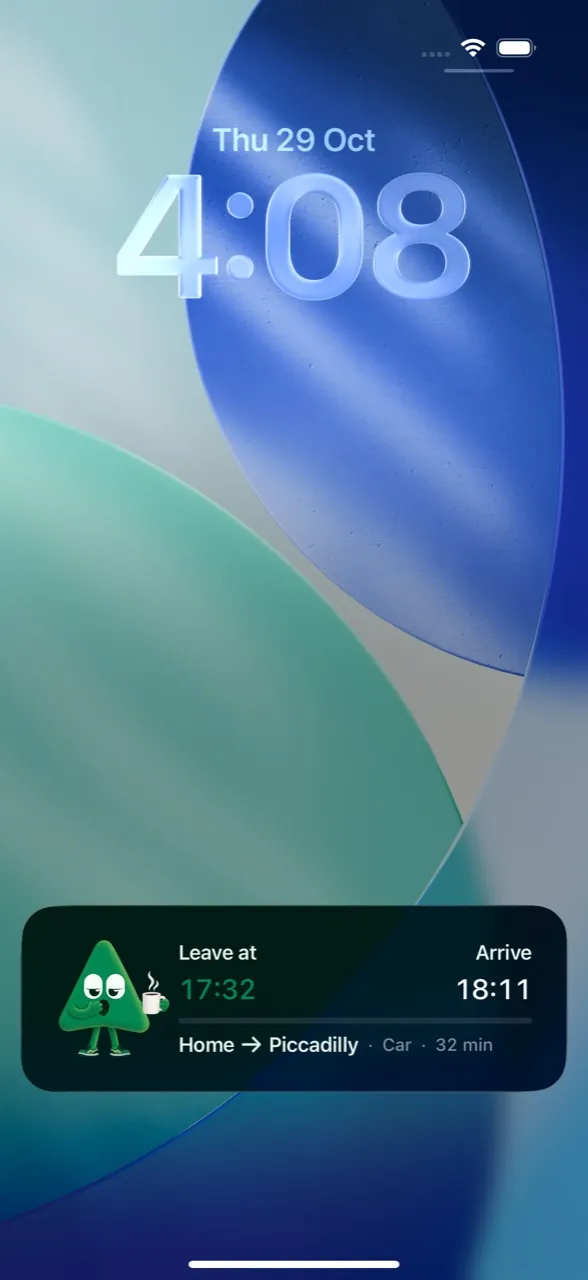
ExitTime already knows when you need to go. Your Lock Screen does too.
Before you leave
Checked again.
Road traffic and official timetables, checked again before you go. If your leave time moves, you'll know.


Leave time
Time to go.
A reminder before, then a departure alarm at the minute you need to leave.

Running late
Take five.
Tap +5 or +10 and ExitTime moves you on to the next real bus or train.


Everything in ExitTime.
Lock Screen card
Leave and arrival times on your Lock Screen and in the Dynamic Island. On Android, in your notifications.
Reminders and an alarm
Reminders before it's time, and a departure alarm at the minute you need to go.
+5 and +10
Running late? Snooze and ExitTime moves you on to the next real bus or train.
Checked again
Your route is checked again before you leave. If your leave time moves, you'll know.
Every way you travel
Car, public transport, walking or cycling. Car journeys take road traffic into account.
Official timetables
TfL in London, national bus, tram and rail across Great Britain, and Northern Ireland Railways.
Weekly routines
Add the office every weekday at 9:00 once. ExitTime handles every morning after that.
Your calendar
On iPhone, ExitTime can plan the events already in your calendar too. Premium.
Weather-aware
When rain is on the way, ExitTime can give you a few extra minutes.
Arrived
Right on time.
Every morning, without the rush. The first week is on us.

Questions
Do I need an account?
No. There's no sign-up. You can delete your data at any time in the app: Profile › Delete Account.
Where does ExitTime work?
Across the UK. Car journeys take road traffic into account. Public transport times come from official timetables: TfL in London, and the national bus, tram and rail timetables across Great Britain, plus Northern Ireland Railways.
What happens after the free week?
Your plans pause until you start Premium. Nothing is deleted, so you can pick up where you left off.
Which phones does it run on?
iPhone with iOS 26.1 or later, and Android phones with Android 10 or later.
What happens to my data?
There’s no account and no sign-up. ExitTime uses your places and location to plan your journeys and to notice when you’ve set off. You can delete everything at any time in the app: Profile › Delete Account. Our privacy policy explains exactly what we collect and why.
Something isn't right. Who do I talk to?
Write to us from the app (Profile › Support) or by email at support@bysivis.com.